A simple guide to the RWK Goodman chat room

When you enter the forum it is possible to be sent a private message by one of our legal team. This is to provide you with the option of discussing something in confidence and in private.
Below you can see a brief overview on how to use this simple feature.
How do I know I've got a private message?
When you have been sent a private chat message you will be notified in the following two ways.
1. Under the text bar at the bottom of your screen, you will see an icon notification. When this appears with a number inside a red circle, you have been sent a private message. Click this icon to read and respond to the message.

2. Alternatively, in the top right hand corner there is a similar speech bubble icon. When this appears red you have one or more private messages pending. Click the icon to view and respond.
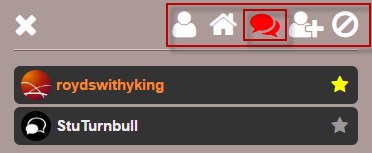
Responding to private messages
After clicking the red icon as mentioned above, simply read the message that appears in the bottom right of the screen. When you have read your message, you may want to reply. You do this in the same way as the regular chat.
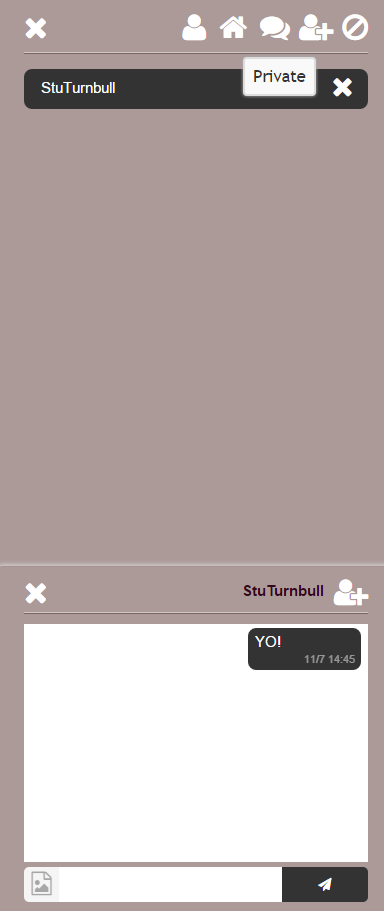
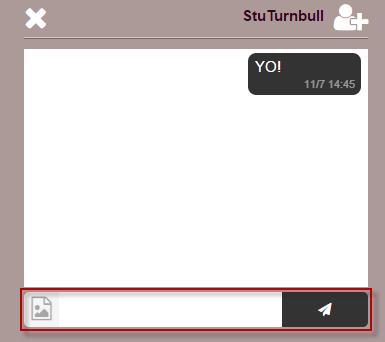
This is done by simply clicking the blank field highlighted below and typing freely.
Send the site admin a message
You can ask the site admin to help you with anything technical on the day. If you have any questions on how the chat room is working, you can always send our service team a message using this shortcut. Just copy and paste it into the chat field, changing the text between < ... > to your intended message.
/msg rwkgoodman <insert your intended message in here>
Which will look like this:
